Changelog

Follow new updates and improvements to Scenario.

Scenario v4.5

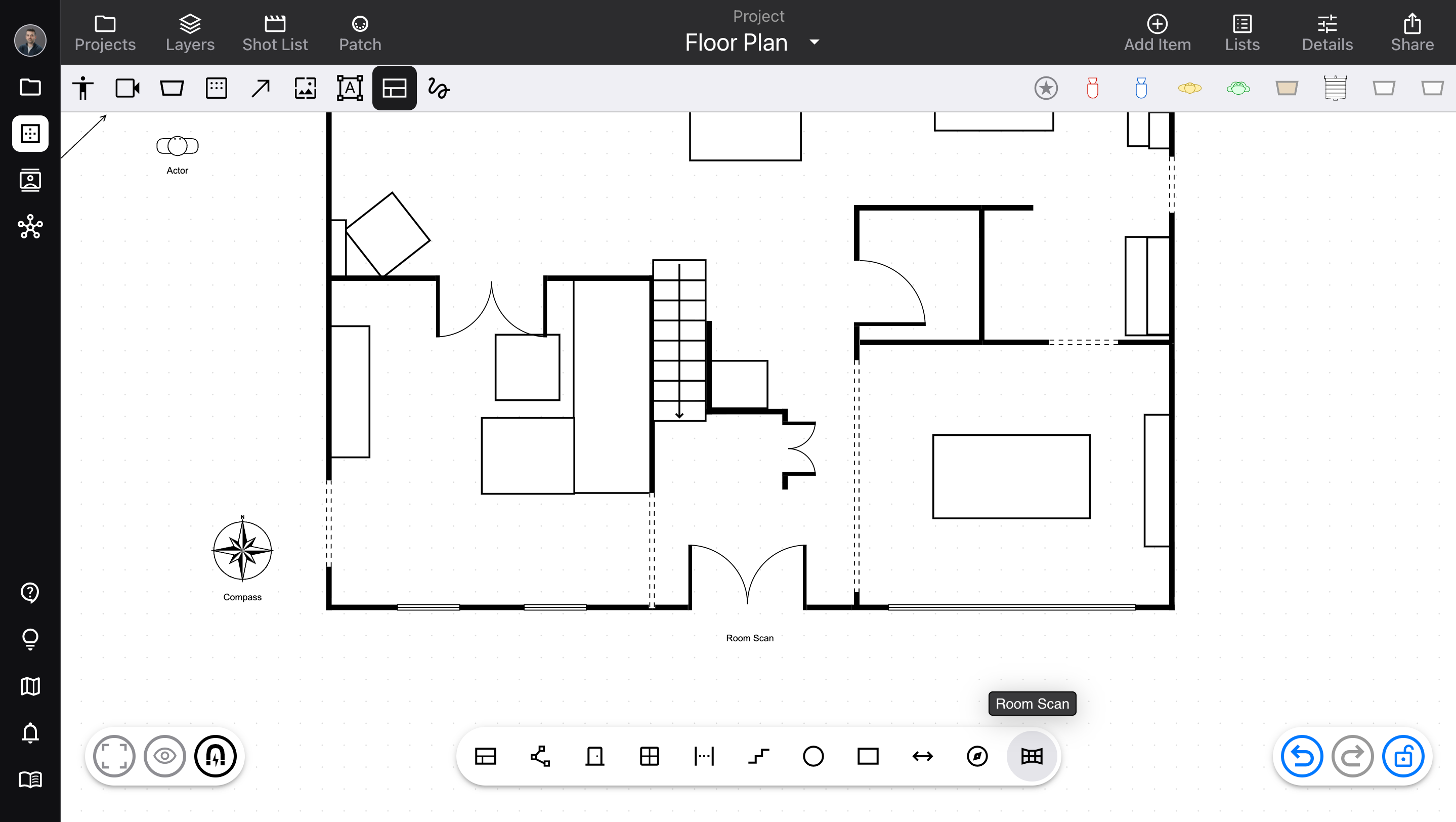
Revamped the diagram editor’s floor plan tools.

  • Released October 10, 2026

  • Availability: all devices, all accounts

Floor plan upgrades

Previously, floor plan items (Wall, Door, Window, and others) were included in the Add Item sidebar. However, this made them harder to access, and didn’t really fit with the other equipment.

  • Floor plan items now have their own toolbar. Open it using the Floor Plan button, next to Markup in “quick items”. From the toolbar, drag items onto the diagram.

  • We’ve added a new Room Scan tool! This works on any LiDAR-equipped device (iPhone and iPad, depending on the exact model), and allows you to make a 3D scan of any space. We save this data as a Room Scan item, which you can export as 3D data, or duplicate as an editable group of floor plan items (to make your own adjustments).

  • The Distance item can now position each endpoint independently – and you can connect one or both endpoints to other items, so you have a permanent, visible measurement.

  • The Rectangle item now has adjustable rounded corners.

  • Other usability fixes to floor plans; for example, automatically adding Door, Window, and Gap items to existing groups, when they’re connected to a Wall in a group.

For more info, check out Floor plan in the Help Center!
ImprovedDiagrams

Scenario v4.4

A collection of small usability updates from your requests!

  • Released September 28, 2026

  • Availability: all devices, all accounts

Updates

  • Selected items display a status message when locked by the Visibility settings, so it’s easy to recognize and deactivate

  • Separate options for DMX Channel and Address in Visibility

  • Allows typing leading zeros for DMX values

  • When Arrows are connected to items that are hidden, also hide the Arrows

  • For Lists usage, only count identical items once if they’re connected by Arrows

  • Updated Projects button style

  • Brightened the blue color to stand out better against dark backgrounds

Improved

Scenario v4.3

Configure your public profile, and build your network on the new Contacts page

  • Released September 23, 2026

  • Availability: all devices, all accounts

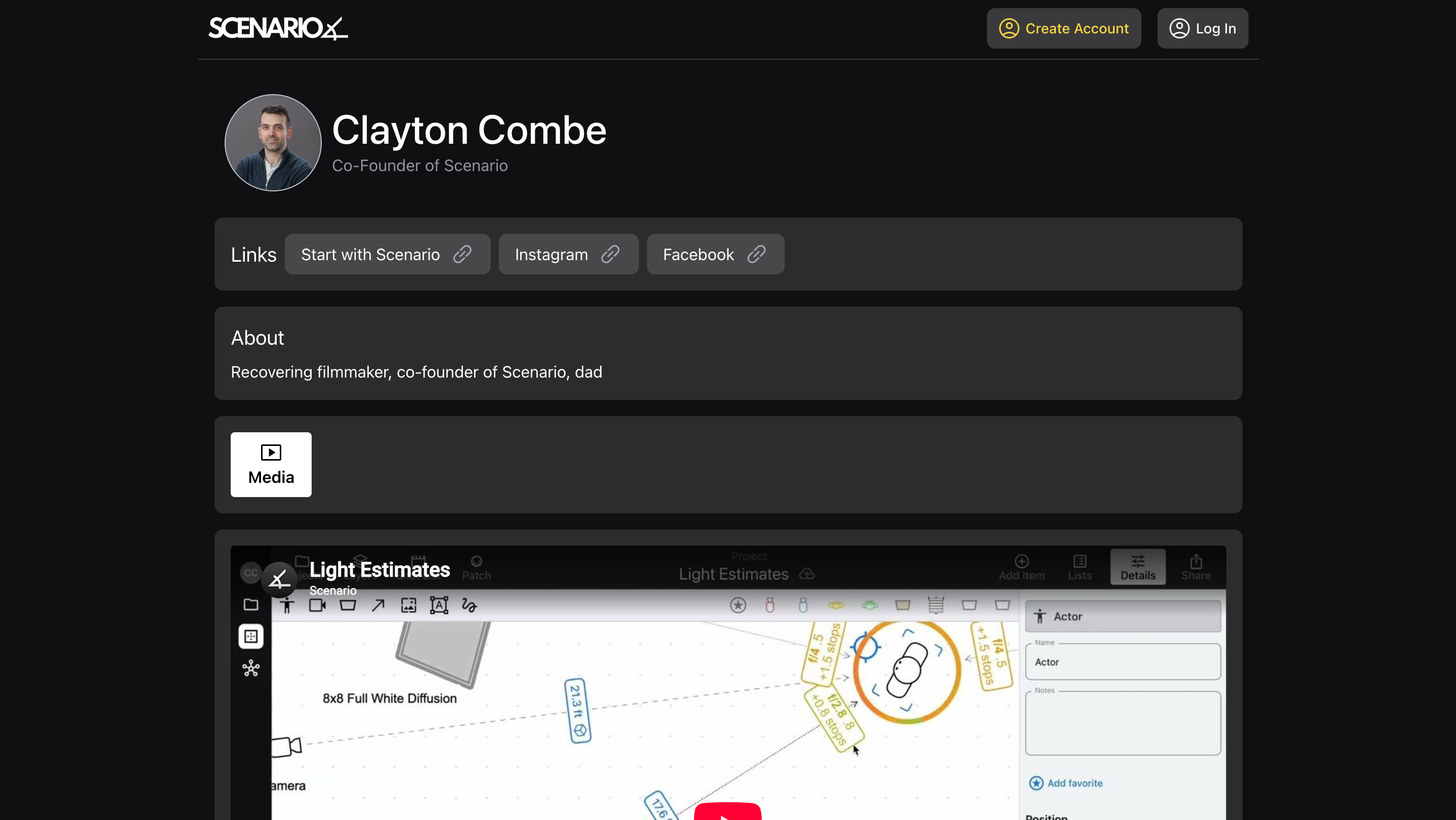
Public profile

Create the “home page” of your professional life, accessible to anyone with the link!

  • Set a profile image, headline, and “about me”

  • Choose a custom, unique URL for your profile (do it soon, so you get the one you want!)

  • Add links to your most important other sites

  • Add images and video, to showcase your work

Then, send your profile link to anyone. Put it on your website, in your Instagram profile, in your email signature – it’s a direct link to your work. And anyone can open it, not just Scenario users.

See My Profile for more info.

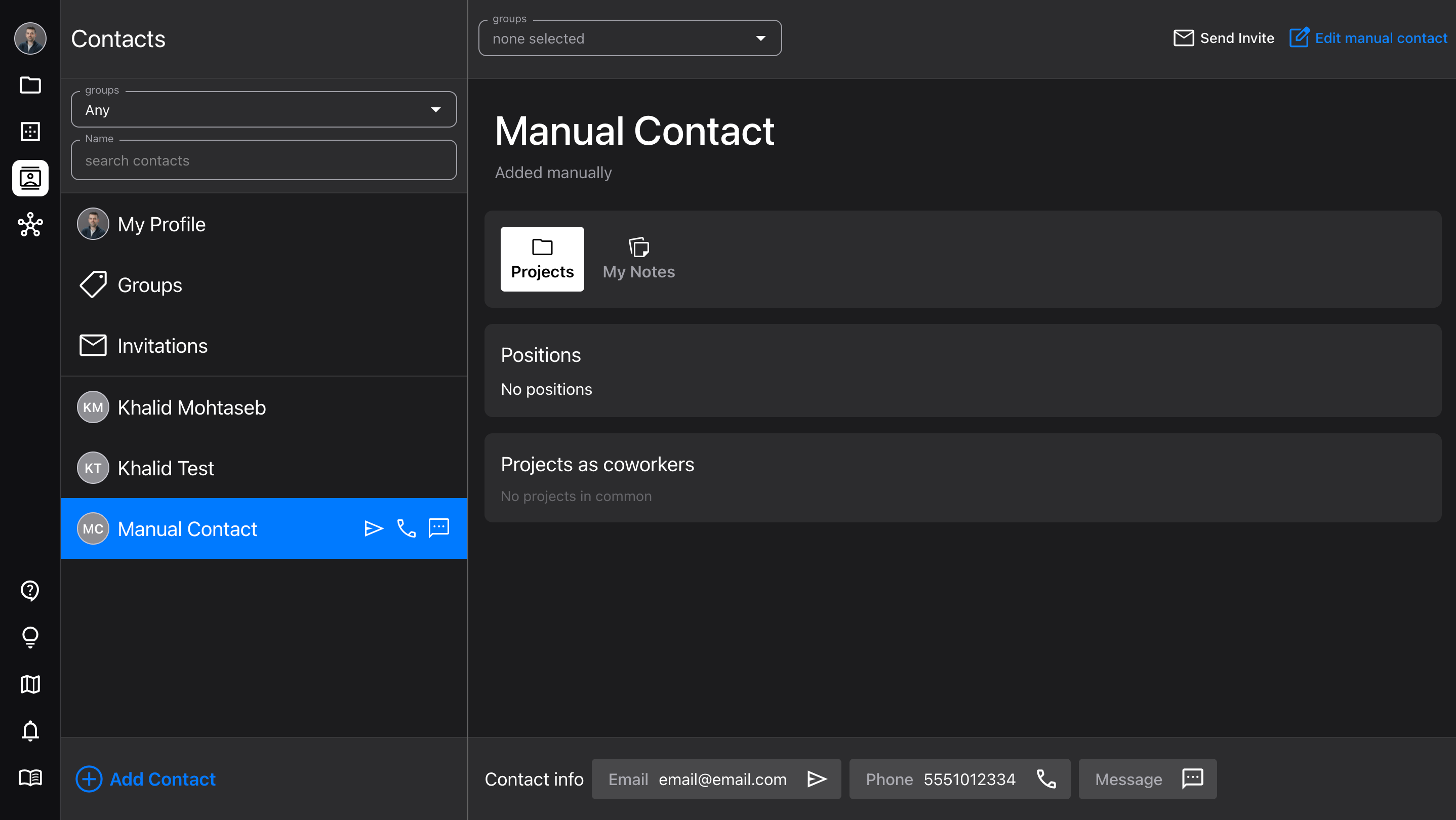
Contacts

The new Contacts page is a quick way to access all your close colleagues, and build your professional network.

  • Add new contacts by importing, searching, or manually

  • Manage, assign, and filter by Groups

  • View your contacts’ profiles and contact info (makes it easy to send them a quick message)

  • Add your own notes for each contact

  • Don’t worry, the Network page is still there for more complex searches!

See Network & Contacts for more info.

Improvements

  • Updated the Diagram Details and Visibility sidebars, to make it clear what the two different distance/length settings do

  • New saving logic to prevent losing text edits when sending the app to the background

AccountNetworking

Earlier updates