Scenario v4.1
Power distribution is here!
Released September 1, 2026
Availability: all devices, all accounts
Power Distribution
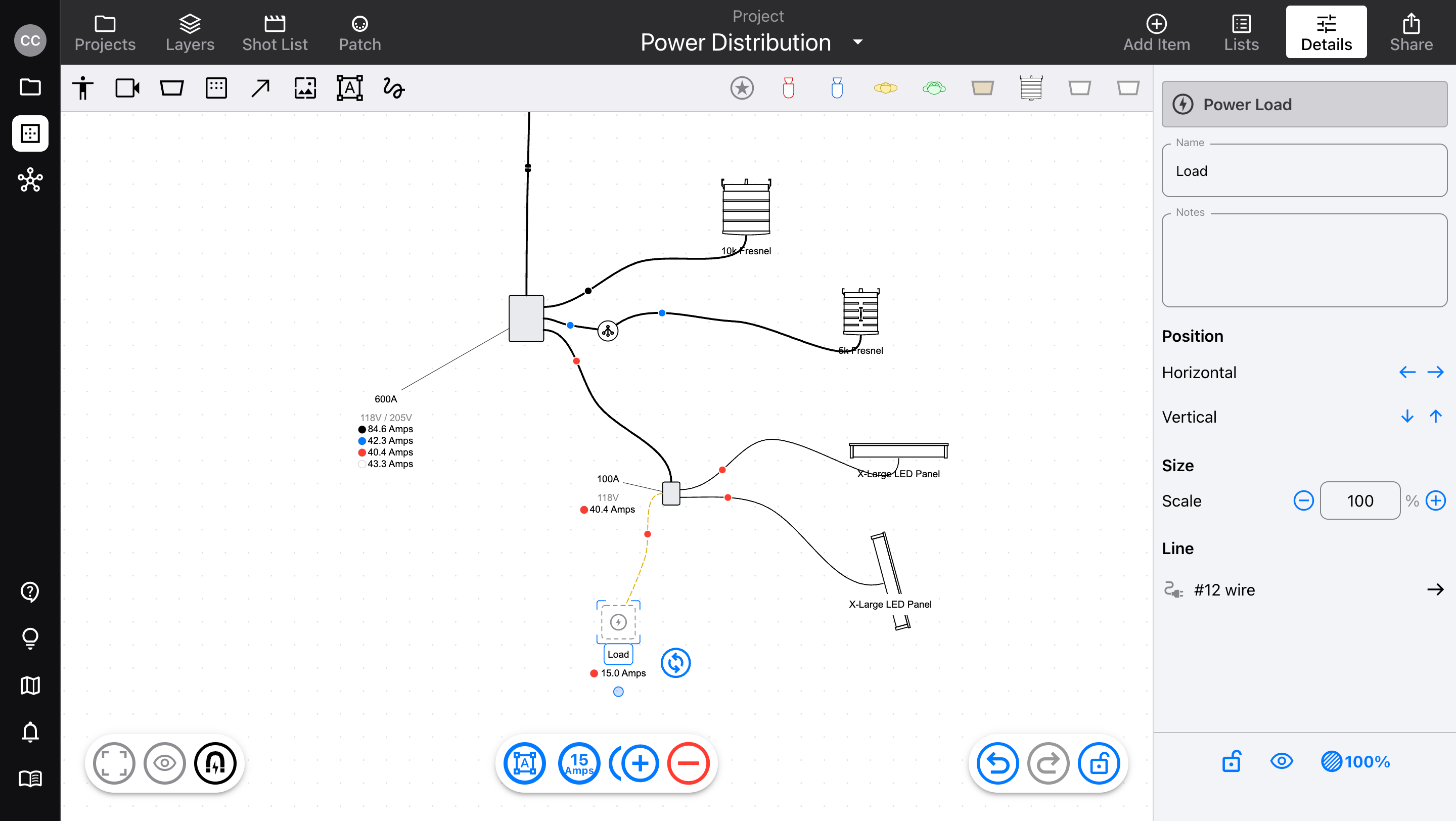
Everything on set needs power, and running distro takes many hands, expertise, and time. Make these decisions in advance and save the hassle on the day. We’ve created the first power distribution mapping tool of its kind, fully built into the Scenario diagram editor, and all you need to do is plug things in.
Add five new types of item: boxes, cables, splitters, power sources (like generators or drops), and loads (abstract, customizable draw).
Connect items with cables, using multi-point curve tools to lay cables on their exact paths. Then, plug in your fixtures.
Once connected to a power source, cables automatically calculate current per phase, based on the total load, even taking line loss into account.
All items can automatically resize themselves to handle the load, or display an overload warning so you can re-patch power.
Power sources can use American 120/208V or Global 230/400V standards, set on a per-diagram basis, so you can work anywhere.
Connect an auto-updating List, and instantly get a complete count of all the gear you need. It even counts cable lengths for you.
Power distribution is not something that everyone needs to see. Hide and show the whole distro run with one click in the Visibility sidebar, to focus on what you need.
See our Power Distribution article for more details!
Other improvements
The Markup toolbar turns grey when a white color is selected, to keep tools visible
Updated the Mac and Windows apps to ignore convenience keystrokes (D, L, P, N) while typing in text fields, and accept copy/paste text
Rendering a diagram PDF with missing Cloud Library fixtures was freezing the screen